

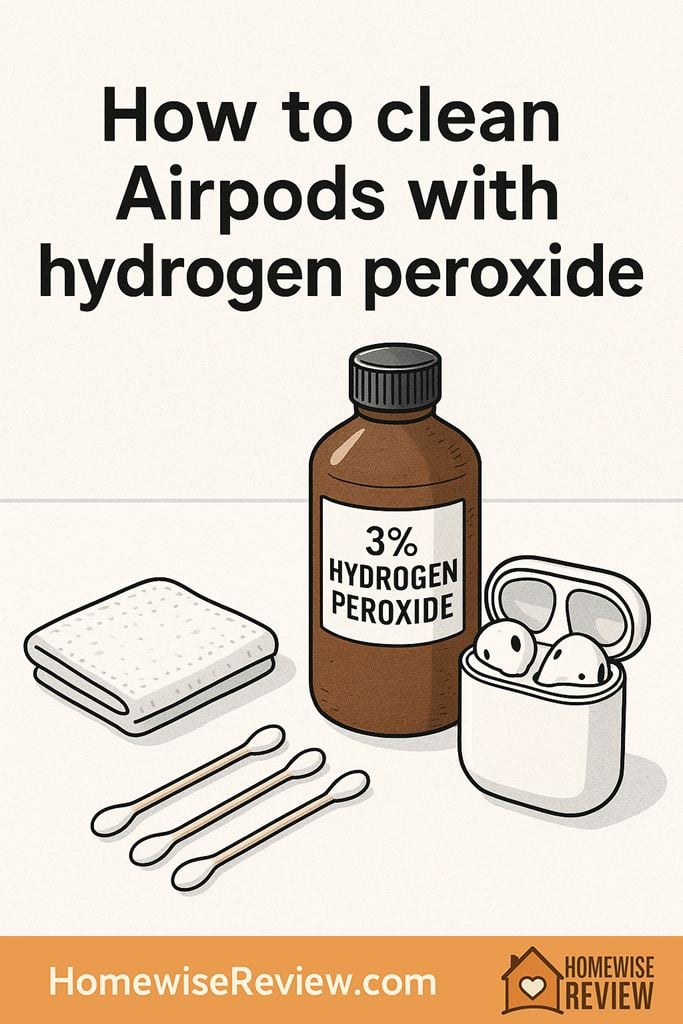
I dabbed hydrogen peroxide onto an AirPod with a swab and got careless near the mesh, and the next minute it sounded a little muffled. After that, I stopped treating it like a disinfecting soak and started treating it like moisture control: barely damp swab on the hard plastic, and peroxide only on the removable silicone tips.
AirPods pick up earwax, skin oils, and pocket lint fast, and all three can affect sound quality and hygiene. Hydrogen peroxide sounds like a simple disinfecting fix, but it is not a soak-and-go solution for electronics. The key is controlling moisture, keeping liquid away from openings, and using peroxide only where it is truly helpful.
Before you start: Is hydrogen peroxide safe for AirPods?
Hydrogen peroxide (the common 3% solution from the pharmacy) is a mild oxidizer that can help break down grime and reduce bacteria on non-porous surfaces. The risk with AirPods is not the peroxide itself as much as the liquid: any fluid can wick into the speaker mesh, microphones, seams, and charging contacts.
When hydrogen peroxide makes sense
- On removable silicone ear tips (AirPods Pro) when you want extra sanitizing beyond soap and water.
- On the hard, outer plastic in tiny amounts (think lightly damp, not wet), keeping well away from openings.
When to skip hydrogen peroxide
- On speaker meshes and microphone grilles (easy to trap moisture, and buildup can get pushed deeper).
- Inside the charging case or near the charging port (liquid plus metal contacts is a bad mix).
- On AirPods Max ear cushions and headband mesh (fabric and foam hold moisture longer).
The most important rule
Never pour, spray, or soak. You are aiming for “barely damp on a swab,” not “wet enough to drip.”
Hydrogen peroxide vs other cleaners (what to use where)
If your goal is disinfecting, peroxide is only one option, and it is not always the best for electronics. This quick comparison helps you choose the safest tool for each part.
| Cleaner | Best for | Avoid on | Notes |
|---|---|---|---|
| 3% hydrogen peroxide | Silicone ear tips; spot-cleaning hard plastic (tiny amounts) | Speaker mesh, microphones, inside case, charging contacts | Use on a swab or cloth only. No soaking of AirPods. |
| 70% isopropyl alcohol | Hard plastic surfaces; quick-drying wipe-down | Inside case, speaker mesh saturation, some fabrics | Evaporates faster than peroxide, so it is usually safer for electronics. |
| Mild dish soap + water | Silicone ear tips; exterior case cleaning (on cloth) | Any openings or ports; soaking | Good for oils and buildup. Keep water controlled. |
| Dry tools (soft brush, microfiber) | Speaker mesh lint; daily maintenance | Hard scraping | Safest starting point. Dry cleaning first prevents pushing wax inward. |
Supplies checklist (simple, budget-friendly)
- 3% hydrogen peroxide (standard pharmacy bottle)
- Cotton swabs (pointed swabs help around seams)
- Microfiber cloth (clean and dry)
- Soft, dry brush (a clean, soft toothbrush or small detailing brush)
- Optional: wooden toothpick (for seams only, used gently)
- Optional: mild dish soap (for silicone ear tips)
What not to use
- Compressed air straight into the mesh (can drive debris inward)
- Metal picks, pins, or anything sharp on the mesh
- Household disinfectant sprays (hard to control overspray and residue)
Step-by-step: Clean AirPods with hydrogen peroxide (safe method)
This method is designed to reduce risk: dry clean first, then use minimal moisture only on the parts that can handle it.
Step 1: Power down and set up a clean workspace
- Put a towel down on a table with good light.
- Disconnect AirPods from your device and take them out of the case.
- If you have AirPods Pro, remove the silicone ear tips.
Step 2: Dry-clean the mesh and crevices first
- Use a soft, dry brush to gently sweep the speaker mesh and microphone grilles.
- Brush outward, not inward. The goal is lifting lint off the surface.
- Use a dry microfiber cloth to wipe the outer shell.
If you start with liquid while wax or lint is still sitting there, it can turn into a paste and block the mesh more.
Step 3: Use hydrogen peroxide only for controlled spot cleaning
- Pour a small amount of 3% hydrogen peroxide into a cap or small dish. Do not work from the bottle opening where spills happen.
- Dip one end of a cotton swab, then press it against the dish edge until it is just damp. It should not drip.
- Wipe the outer plastic areas of each AirPod, avoiding the speaker mesh, microphone grilles, and any openings.
- Use a dry swab immediately after to pick up leftover moisture.
Step 4: Clean the seams (without flooding them)
- If grime collects along seams, use a barely damp swab to loosen it.
- Follow with a dry swab and a microfiber cloth.
- If needed, use a wooden toothpick very lightly along the seam to lift softened grime. Never poke into holes or mesh.
Step 5: Let everything air dry fully
- Set AirPods on a dry towel and let them air dry for at least 30 minutes.
- Do not place them back in the charging case until they feel completely dry.
Even tiny moisture in the wrong place can cause charging issues or temporary muffled audio.
How to clean AirPods Pro ear tips (where peroxide is most useful)
Because the tips are removable and silicone is non-porous, this is the safest place to use hydrogen peroxide when you want a more sanitized feel.
Option A: Mild soap and water (everyday best)
- Wash tips in warm water with a drop of mild dish soap.
- Rinse well so no soap film remains.
- Pat dry and air dry completely before reattaching.
Option B: Quick peroxide sanitize (occasional)
- Dampen a cotton pad or cloth with 3% hydrogen peroxide.
- Wipe the tips inside and out.
- Wait 1 minute, then wipe again with a cloth dampened with plain water to remove residue.
- Air dry fully before snapping them back on.
If your ears are sensitive, that water wipe at the end matters. It helps prevent leftover oxidizer from irritating skin.
Cleaning the charging case (skip peroxide here)
The case looks sturdy, but it has contacts, seams, and a port that do not mix well with liquids. Keep this part mostly dry.
Safe case-cleaning steps
- Use a dry microfiber cloth to wipe the outside.
- For sticky spots, slightly dampen the cloth with water (not peroxide) and wring it out well, then wipe.
- Use a dry cotton swab around the hinge and the rim where the lid meets the body.
- For the inside wells where AirPods sit, use a dry swab and a soft brush. Keep liquids out.
If the Lightning or USB-C port is grimy
- Do not drip liquid into the port.
- Use a dry, soft brush to loosen lint.
- If lint is packed in, use a wooden toothpick very gently, keeping to the edges, then brush again.
What to do if sound is muffled (and cleaning is not enough)
Muffled sound is usually earwax on the speaker mesh, but aggressive cleaning can make it worse by pushing wax deeper. Start with the gentlest options and test between rounds.
De-muffle checklist
- Brush the mesh lightly and repeatedly with a dry soft brush.
- Wipe the surrounding plastic with a dry microfiber cloth.
- Check ear tips for blockage and clean them separately (AirPods Pro).
- Try the other AirPod and compare. If one is clearly quieter, focus on that one.
- If sound stays uneven after careful cleaning, it may be internal debris or wear that cleaning cannot fix.
How often should you clean your AirPods?
A simple schedule prevents buildup from turning into a stubborn blockage.
- Weekly: quick wipe with a dry microfiber cloth, quick brush of the mesh.
- Monthly: deeper clean of seams, ear tips, and the case rim.
- After workouts: wipe sweat off right away and let them air dry before charging.
Mistakes that cause damage (and what to do instead)
| Mistake | Why it is risky | Better approach |
|---|---|---|
| Soaking AirPods or holding them under running water | Liquid can enter openings and damage internal components | Use dry tools first, then a barely damp swab on hard plastic only |
| Using peroxide on the speaker mesh | Moisture can get trapped and loosen debris into the mesh | Dry brush and microfiber; clean ear tips separately |
| Spraying cleaner directly on the device | Overspray reaches ports, mics, and contacts | Apply liquid to a swab or cloth away from the AirPods |
| Scraping the mesh with a pin | You can puncture or deform the grille | Soft brush, gentle repeated passes, and patience |
Bottom Line
Hydrogen peroxide can be helpful for sanitizing removable silicone ear tips and for tiny, controlled spot-cleaning on the outer plastic. Keep it far away from speaker mesh, microphones, and anything inside the charging case, and always dry-clean first. When in doubt, less moisture is the safest choice.
See also
If you are building a simpler, safer cleaning routine overall, start with best non-toxic cleaning products for families and pair it with housekeeping shortcuts that protect allergies and skin.
- Method all-purpose cleaner review for everyday wipe-downs
- Seventh Generation Free and Clear detergent review for sensitive households
- Stain-rescue decision tree for quick cleaning steps
Frequently Asked Questions ▾
Can I use 3% hydrogen peroxide directly on AirPods?
Use it only indirectly, on a cotton swab or cloth that is barely damp, and only on the hard outer plastic. Keep peroxide away from speaker mesh, microphones, and seams where liquid can wick inside.
Is it safe to soak AirPods Pro ear tips in hydrogen peroxide?
I would not soak them for long periods. A wipe-down with peroxide, a short contact time (about 1 minute), then a wipe with plain water is a safer, controlled option that still feels more sanitary than soap alone.
What is the safest way to remove earwax from the speaker mesh?
Start dry: a soft brush with gentle, repeated strokes to lift debris off the surface. Avoid liquids on the mesh and avoid sharp tools that can puncture or deform it. If sound stays muffled after careful dry cleaning, the blockage may be internal.
Can hydrogen peroxide damage the charging case contacts?
Any liquid can interfere with contacts and charging, including peroxide. Keep the inside of the case dry and clean it with a dry swab and soft brush instead.
How long should I wait before putting AirPods back in the case?
After any damp cleaning, wait at least 30 minutes, longer if your room is humid. They should feel completely dry to the touch before charging.
As an Amazon Associate, we earn from qualifying purchases made through links on our site.